Lemhi Release — Calumet Bluff, NE (Jul 30, 2026)

What's New: July 30, 2026
Calumet Bluff release: in late August 1804 the Corps camped beneath this bluff on the Missouri River and held their first council with the Sioux.
The Copilot prompt library you generate for a client now imports straight into their Microsoft 365 tenant. Four new client reports join the suite, and the Partner Dashboard splits into three views so each account manager sees their own book of business.
A Copilot Prompt Library for Every Client
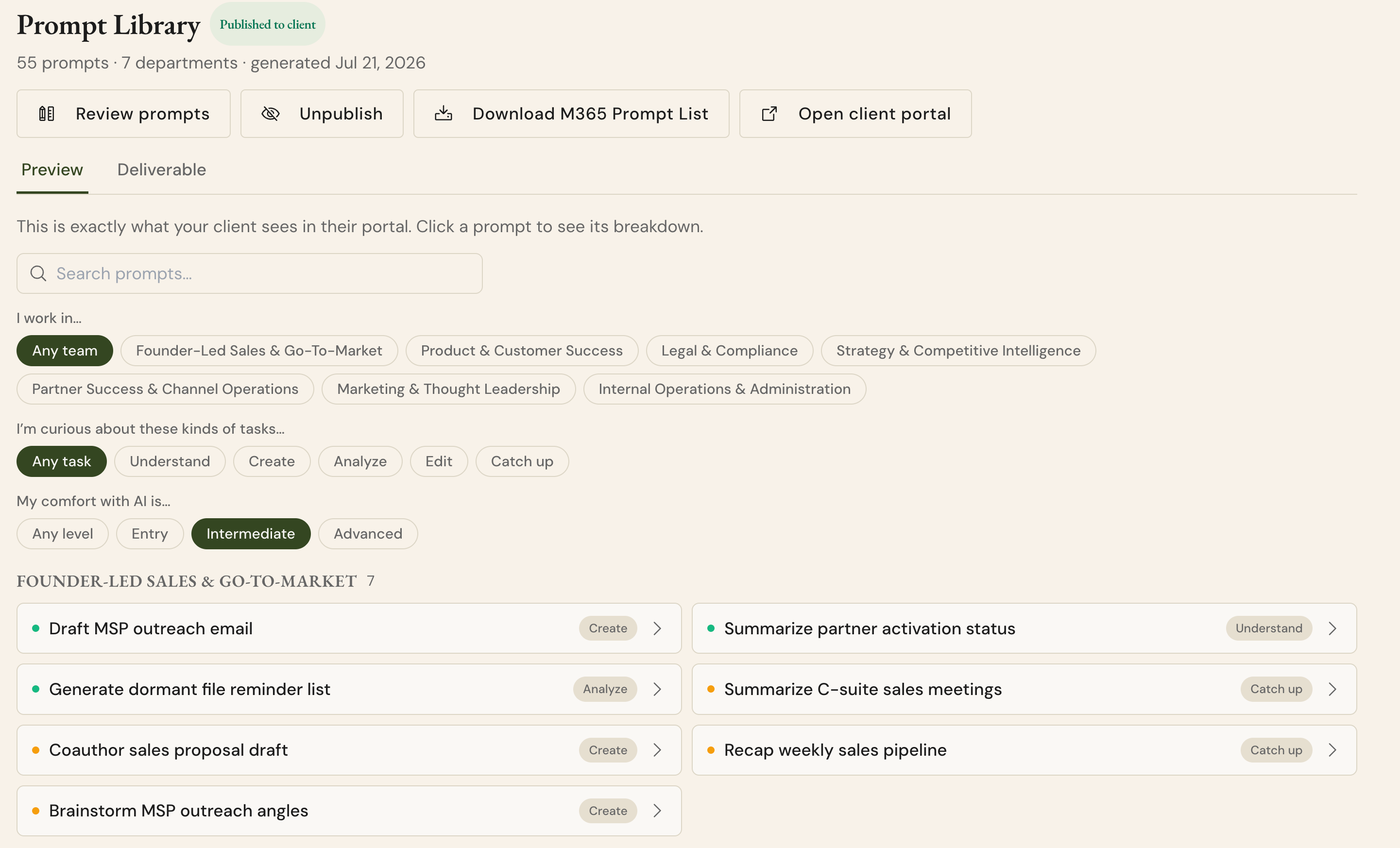
Most Copilot rollouts stall because nobody knows what to type into the box. This gives every client a starting point built from their own business, and it lands inside their tenant rather than in another PDF. Available under each client under the “Client Portal” menu.
AI-generated, role-based prompts in the Executive Plan: The new Prompt Library tab generates a Copilot prompt library from each client's engagement data, grouped by their own departments, with every prompt tagged by task type and skill level. Filter, search, and copy individual prompts.
Deploy it into their tenant: Export the library as a CSV in Microsoft's exact Copilot Prompt Library import format, then follow the built-in five-step playbook to publish it. The prompts surface right in the client's Copilot prompt box, so their team starts from tailored prompts instead of a blank one.
Four New Reports You Present As-Is
Tenant Assessment Report: A print-ready, branded findings report built from the Copilot Readiness Scan. It scores the client's tenant readiness with benchmark bands and translates technical findings into business outcomes a CTO or CISO can act on. Present it as-is in your next review.
Data Governance, Copilot Insights, and Technical Copilot Readiness reports: Three more reports join the suite, and the Reports hub is restructured so every deliverable stays one click away. That's more client-facing work product you don't have to produce yourself.
Copilot Readiness report, sharpened: Findings now carry supporting context, the report includes aggregate Copilot usage, and sections respect the client's actual license position, so nothing in it needs a caveat before you present it.
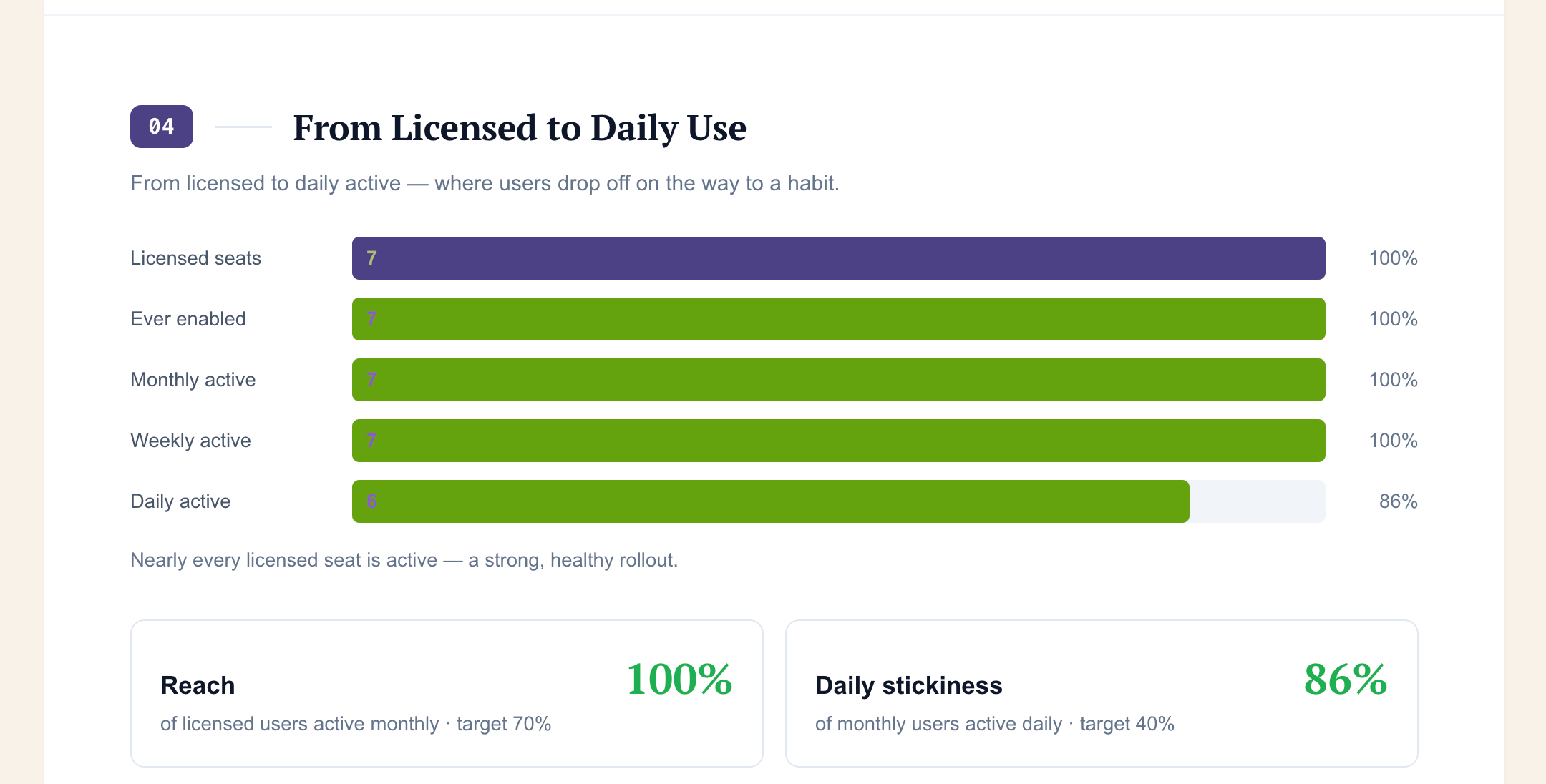
Checkout the “Reports” menu we’ve added within each client to see the new reports we’ve added!
Know How Your Team Is Performing
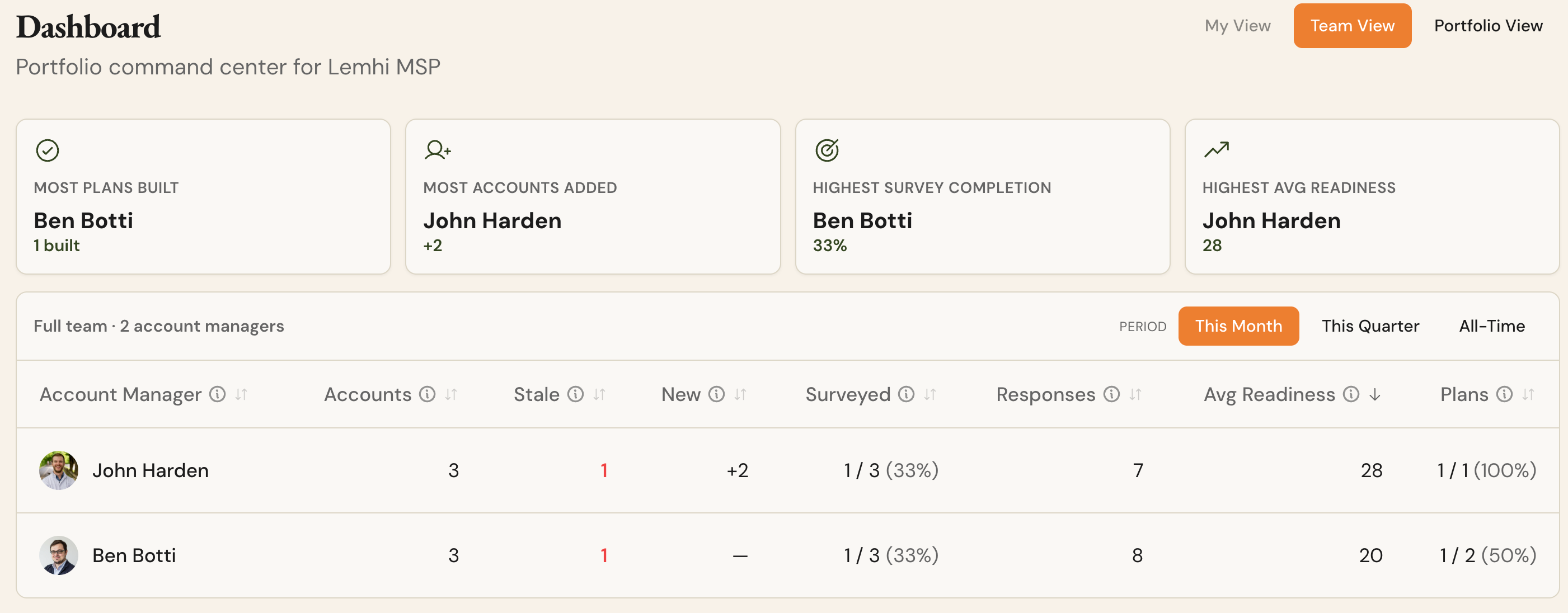
Account Manager Performance views: The Partner Dashboard gains three lenses. My View gives each account manager a personal command center: today's moves, accounts ready to advance, upcoming go-lives, and what needs attention. Team View gives admins a per-owner rollup with survey coverage, readiness averages, plan progress, and a recognition strip. Portfolio View keeps the classic client-centric dashboard.
Assign unclaimed accounts inline: Team View lists accounts with no owner and lets you assign one on the spot. Nothing sits in limbo between account managers.
Prospects start owned: Whoever creates a prospect is automatically its account owner, so new accounts never sit unclaimed.
Resend invitations: Pending team invitations now have a Resend button, so a lost email doesn't mean re-creating the invite.
Sharper Survey and Usage Insights
Results by group: Survey results gain a By Group tab with a CSV export, so you slice readiness by department or any grouping you've set up.
Smarter Use Case Insights: The AI Assessment report now breaks down by group, with AI-based job-title grouping so similar roles roll up together automatically.
Survey notifications reach the right person: Submission notifications now go to the client's account owner as well as the shared inbox, and follow-up starts with the person who owns the relationship.
Completed surveys read as completed: A respondent who reopens their finished survey link now sees a clear completed state instead of a blank form.
Claude usage alongside Copilot: Claude integration data now appears everywhere Copilot and MCP integration data does, so your AI usage picture covers all three.
Bug Fixes
Fixed reopening a completed survey response silently overwriting its answers and resetting its completion status
Fixed the nightly employee sync quietly skipping some clients on large rosters
Fixed the automatic company-name lookup storing an unverified name on client self-assessments.
Fixed the self-assessment domain's root URL showing a dead-link page instead of a clean landing page
Standardized client-facing page headers so titles and subtitles read consistently across screens