Link a task to an existing HaloPSA ticket
Attach a Compass task to a ticket a technician already opened in HaloPSA, so you do not create a second one.
Written By The Lemhi Product Team
Last updated 1 day ago
For vCIOs and account managers. Use this when a technician already opened a ticket for the work, so you do not create a second one. When you finish, the task shows that ticket's number and status.
The client must be mapped to a Halo client, and the task must be active and have no ticket yet.
Open the task and select Link existing ticket.
Under Ticket number or HaloPSA link, enter the ticket number, or paste the ticket's link from HaloPSA, and select Look up.
Lemhi shows the ticket's number, summary, team, client, and current status. Select Link ticket.
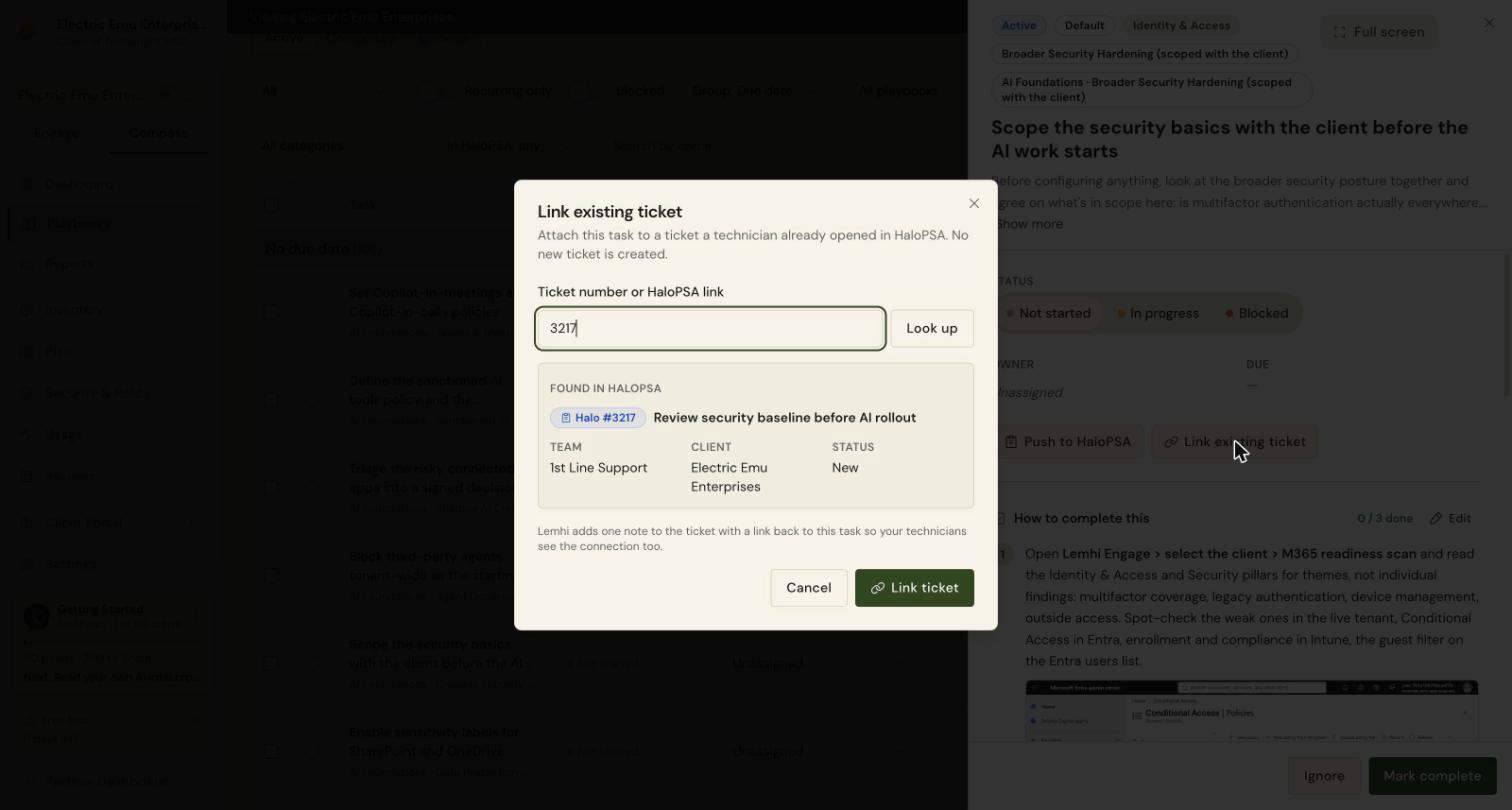
Check: The task shows the same ticket chip as a pushed task, and its ticket section shows Linked by with who linked it and when.
Lemhi adds one note to the HaloPSA ticket, "Linked to Lemhi Compass task:" with a link to the task, so technicians see the connection from their side too. The note is hidden from your client's end users. A ticket Lemhi already holds, because it was pushed or linked from another task, does not get a second note.
If the task shows "HaloPSA did not accept the note." or "Linked, but HaloPSA blocked Lemhi's note.", the link still worked. The second message names the role settings to fix: Can Edit Tickets Which Are Not Assigned To Them, and Can edit closed Tickets if the ticket is closed. Set them, then unlink and link again to add the note.
Ticket under a different client? If the ticket belongs to a different Halo client than the one this client is mapped to, Lemhi warns you before you link: "This ticket belongs to [Halo client], not [mapped Halo client]. Check the number, or link it anyway." You can still link it on purpose.
To link several tasks to the same ticket, link them one at a time. Each task shows the same chip, and the ticket section names the other tasks on the ticket.
Remove a link
To remove a link, open the ticket section on the task and select Unlink. The HaloPSA ticket itself is not changed.
Related
Was this helpful?
Still need help? Ask the team