Map clients to HaloPSA clients
Match each Lemhi client to its Halo client with Auto-map, then finish the rest by hand.
Written By The Lemhi Product Team
Last updated About 24 hours ago
For a Lemhi Admin. When you finish, every client you want to push tickets for is matched to a Halo client.
Every pushed ticket is filed under a Halo client, so each Lemhi client needs to be matched to one. A client with no Halo client cannot be pushed.
On the HaloPSA page (Settings > Integrations > HaloPSA > Manage), scroll to Client mapping.
Select Auto-map. Lemhi matches each unmapped client to a Halo client in three passes:
Microsoft tenant ID. The tenant ID HaloPSA holds on the client from its own Microsoft 365 integration, against the tenant connected to the Lemhi client.
Client name. An exact name match.
Email domain. The Lemhi client's email domain against the Halo client's website.
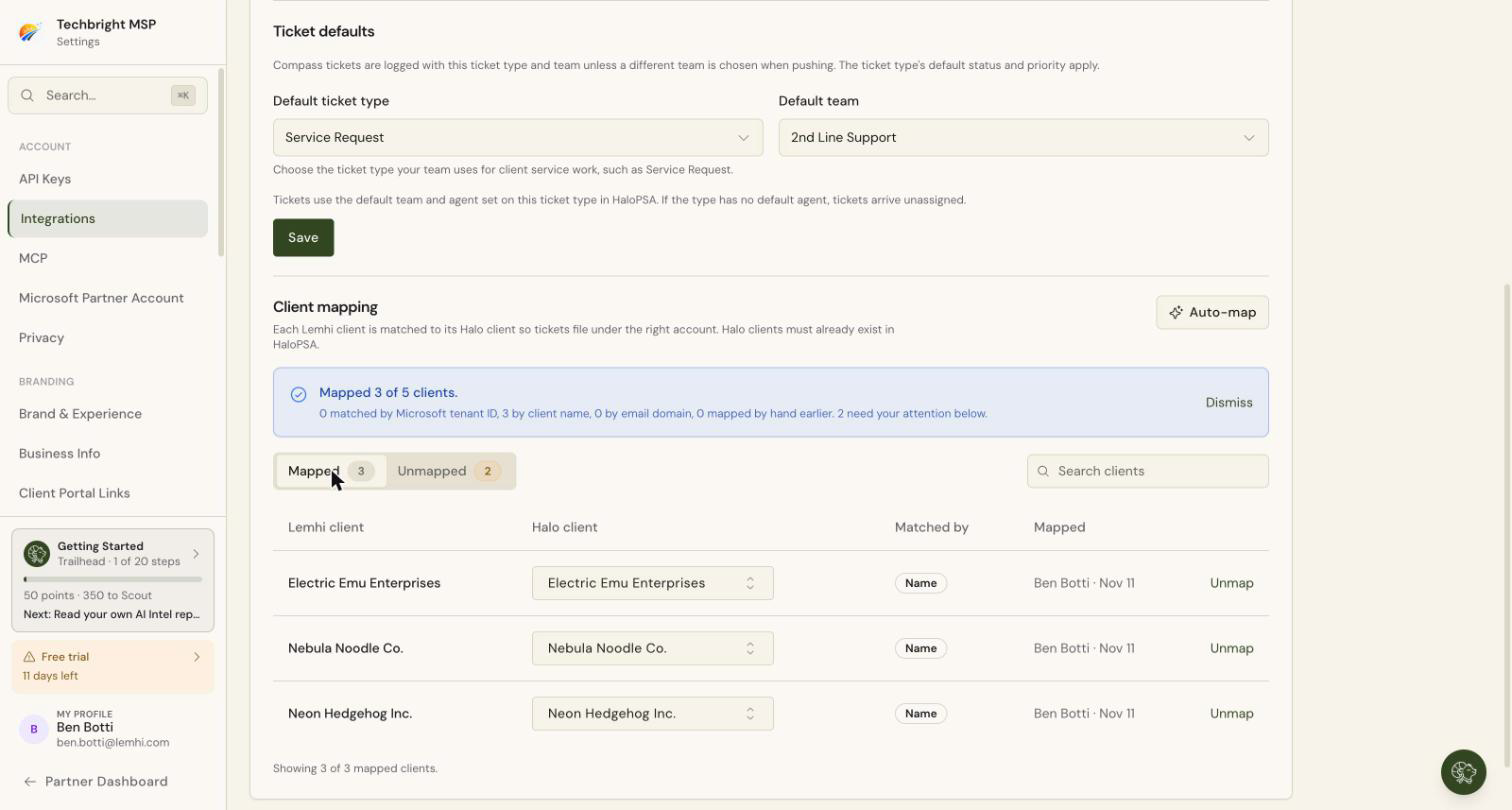
Read the result, for example "Mapped 42 of 50 clients." with a count per pass and how many need your attention.
Open the Unmapped tab. The badge shows how many clients are left.
For each client, select Choose a Halo client, search, and pick the Halo client.
A client marked Needs review matched more than one Halo client. The likely matches are listed first in the picker. Pick the right one.
Check: The Mapped tab lists your clients, each with how it was matched: Tenant ID, Name, Domain, or Manual, plus who mapped it and when.
Halo clients must already exist in HaloPSA and be active. Lemhi never creates a client. The picker shows active Halo clients only. Create or reactivate the client in HaloPSA, then map it here.
Auto-map never overwrites a mapping that already exists, so you can run it again safely after adding clients.
Changing a mapping later
On the Mapped tab, pick a different Halo client for the client, or select Unmap. Neither change touches tickets already pushed. Clients you add to Lemhi later show up on the Unmapped tab; run Auto-map again or map them by hand.
Next
Push a Compass task to a HaloPSA ticket
Related
Was this helpful?
Still need help? Ask the team